LEAD

Basic

  • Collect Data
  • Training
  • Evaluation
  • Tutorial Jupyter Notebooks

SLURM

  • Overview
  • Collect Data
  • Training
  • Evaluation

In-Depth

  • Inspecting Pickle Files
  • Cross-dataset Training
  • Configuration System
  • Debug Expert

Miscellaneous

  • FAQ
  • Glossary
  • Known Issues
LEAD
  • Documentation
  • View page source

Documentation

This documentation is organized into three sections. Basic: Quickstart guides to get you started. SLURM: Infrastructure for large-scale experiments. In-depth: Details you do not need now, but may want to know later.

The basic section is sufficient to get started with the local data collection, training and evaluation loop.
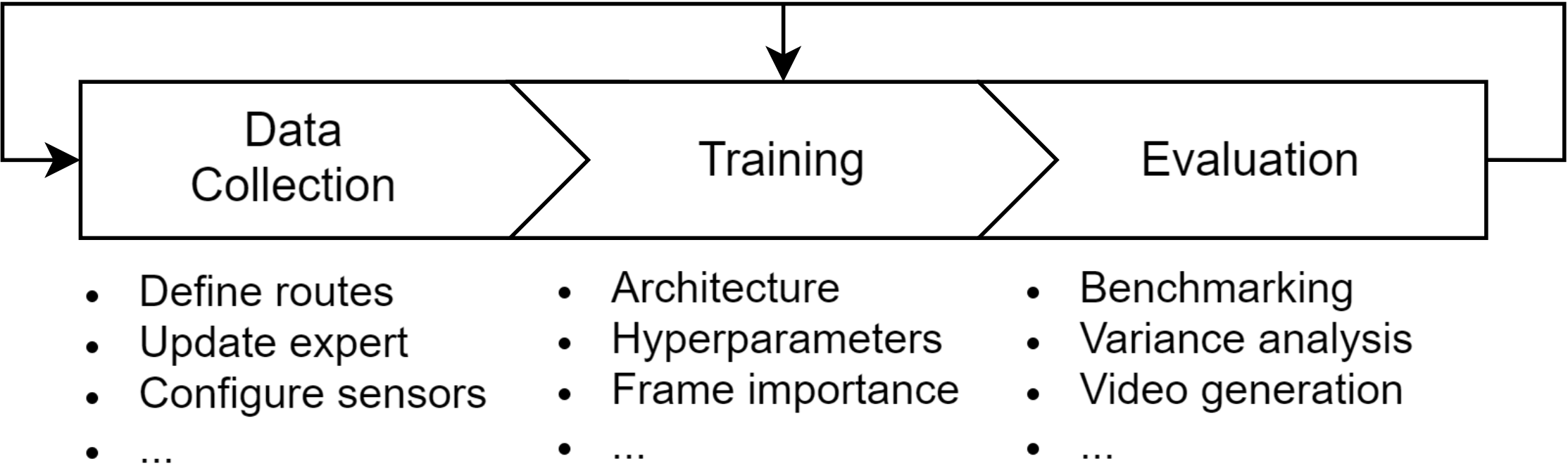
LEAD Pipeline

Basic

  • Collect Data
    • Start Data Collection Locally
    • Inspect Collected Data
    • About the Expert
  • Training
    • Prerequisites
    • Model Training
    • Common issues
  • Evaluation
    • Overview
    • Running Evaluations
    • Summarize Leaderboard 2.0 Results for Longest6 v2 and Town13
    • Summarize Bench2Drive Results
    • Best Practices
  • Tutorial Jupyter Notebooks
    • Pipline Verification Notebooks
    • Data Format Explained Interactively
    • Debug Closed-Loop Evaluation Interactively

SLURM

  • Overview
    • Why a wrapper?
    • Principle of the wrapper
    • Example
  • Collect Data
    • Quick Start
    • Monitor Progress
    • Delete Failed Routes
  • Training
    • Overview
    • Pre-training
    • Post-training
    • Resume crashed training
  • Evaluation
    • Overview
    • Example

In-Depth

  • Inspecting Pickle Files
  • Cross-dataset Training
  • Configuration System
  • Debug Expert

Miscellaneous

  • FAQ
  • Glossary
  • Known Issues
Next

© Copyright 2025, ln2697.

Built with Sphinx using a theme provided by Read the Docs.